

Google Maps x College
Finding the next higher education.
✏️ About the project
Case study: Google College (Personal Project)
Time: 2 weeks
Using Google Maps to search for colleges where users can use filters to find colleges they are interested or in need help to find an ideal college.
🧑 My Role
I created end-to-end design process which includes user research, ideation, wireframing and prototyping.
This case study was all done by me. I wanted to expand my knowledge not only as product designer but also a ux researcher.
📚The story where it starts.
Finding an ideal college is not an easy task. Many colleges offer different program and different grants depending on being either a public or a private college. Currently there is not much tools out there that can help support students find the right college unless they go to a specific location or find reviews of the college itself. I also believe that there can be huge upside potential where a partnered company can offer internships and/or full time positions if they attend a specific school that Google can offer. This implementation will start a powerful system which then can unify the issues the students are having today.
🤔Getting deep into the problem.
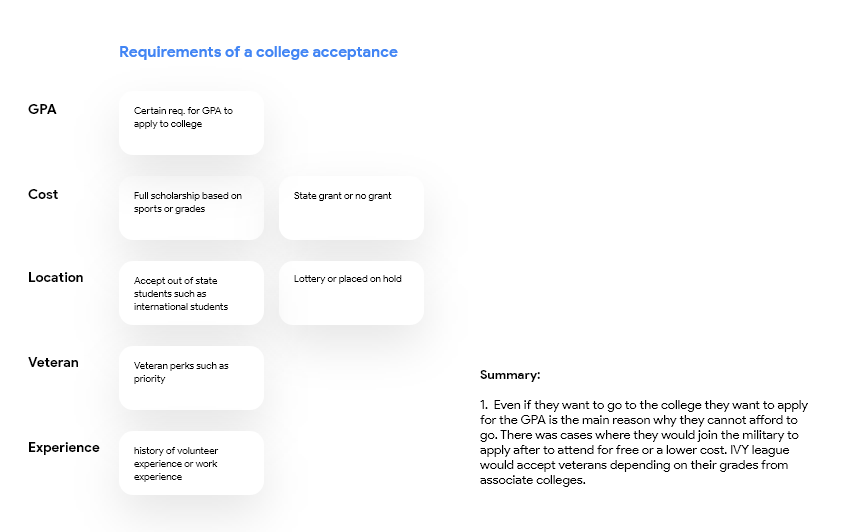
What information do people look for when applying for different colleges?
Where are people looking for reliable sources? From recent graduates? Online article? Schools recommendation?
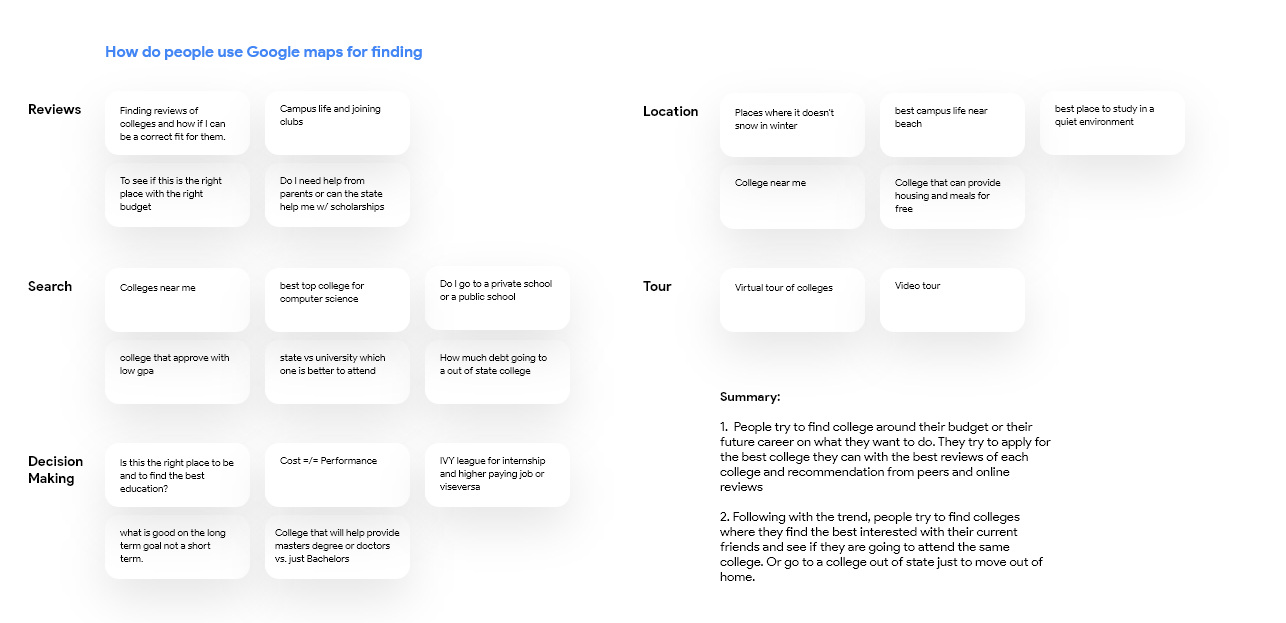
How do people use Google Maps for college searching and what resources can be provided and be solved?
In order to understand the problem, I conducted research as follow:
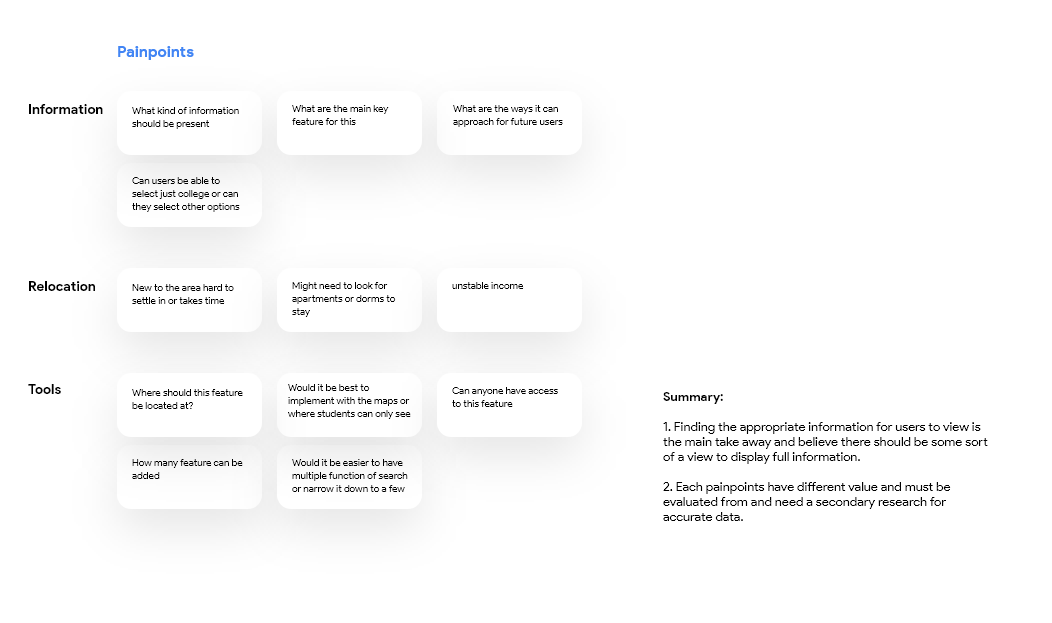
Gathering quantitative data from surveying online and in person to narrow down for the target users.
Seeing if there are any competitive products that are currently available on the market to figure out their pros and cons.
A survey to gather more information on users pain points and user journey.
📊Secondary Research
I have also conducted secondary research to understand the usage of current Google Maps and how user behaviors differ from other competitors such as: Apple Maps, Bing Maps, Yahoo Maps… I have also added questionnaires applicable for Google College while conducting this research.
I dived into “how to start a college search as a senior in high school and adults who graduated high school years ago looking to restart their college education” and what steps I should take. I also took account on life after high school when someone wants to continue onto higher education.
When to start your college search
“Take the most challenging high school classes you can. College admission officers would rather see you take tough classes than have a perfect GPA in intro courses. Be aware of the subjects and hobbies that make you happiest. Maybe they have the potential to be a college major or career someday! Look for part-time jobs, volunteer positions, and internships in areas that interest you. Think about where your college funds are coming from. Sit down with your family to see what they have planned, and start saving your own hard-earned cash and looking for college scholarship that fit you.” [Source Link]
Who are these adults looking to go to college?
“They're people who might have started college right after high school, but never finished. They might have had a lot of really great work experience and can't afford to quit their jobs in order to go back to school. They might have military service. Maybe they've received some technical training and leadership experience. Maybe they are raising a family.” [Source Link]
Consider starting your college studies at a community college
”For years, many late bloomers have been using the smart strategy of starting out at community colleges, then transferring to larger state or other institutions. It’s a proven path that can even let you graduate alongside those “early bloomers” you knew in high school – often from the same colleges.” [Source Link]
🆚Competitive Research
Based on the research that had been conducted by Collegesimply, Cappex is a huge competitor as they are focused mainly on what specific colleges offer. According to my findings in secondary research, students are looking more online rather than asking counselor or peers what the best college is as they have reviews on the spot rather than waiting for answers. If this feature is implemented in Google Maps, I believe it will give students easier methods of finding other websites rather than digging into the abyss of the internet.

Ideation - Personas
Identifying user pain points & wants to find out what problems are waiting for us to resolve.
Journey Map
By dividing the college searching experience into 4 different aspects, I can study different design solutions and identify solutions for each pain points.
I used journeys to map out new flows. I found them useful because I can visualize where users are interacting with the product. It is helpful to find out how to minimize interactions so that there is less work for the user, highlight key pain points of opportunities to target users.
Customer Success Metrics
By using information architecture I am able to map out all the path a user can take to different destination to each key-points. The great part about this system is that it can be changed or moved based on the services it offers.
It is also a tool that can lay out all possible user paths where complications may occur.
Planning the structure
The most important interactive elements during college searching experience were:
Filter for ideal colleges - based on commute, transportation and of course, tuition.
View custom colleges based on users need. What can I add for users to see what criteria fits their needs?
I created multiple wireframes in high-level to see which fits the best. As resulted…
Current implementation from Google Maps
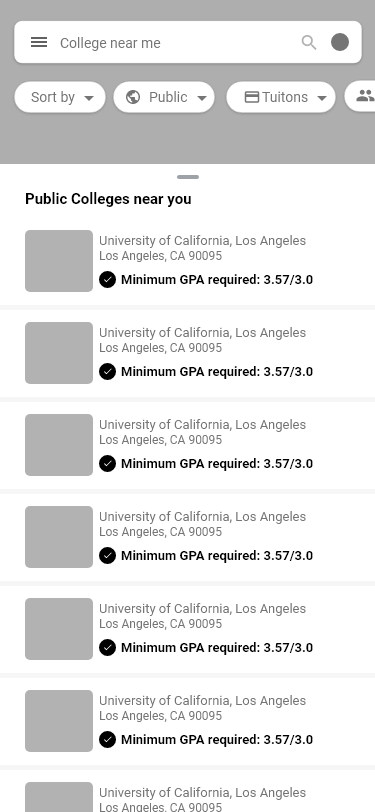
Currently there is an existing UI from Google Maps such as card styles icons and reviews set. From the web perspective, it is more of a leisurely finding rather than on mobile being quick and being on the run.
I needed to find a way to show a bunch of information within a small toggle box. I have used RITE ( Rapid Iterative Testing and Evaluation ) to receive early feedback to discover errors or some blockage. I have conducted 2 rounds of RITE with 3 participants.
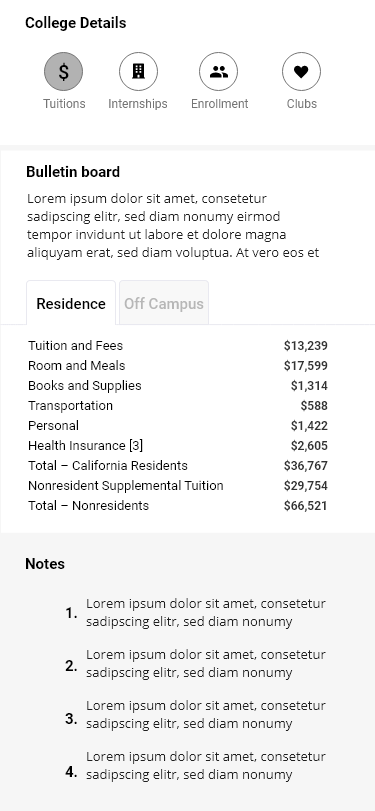
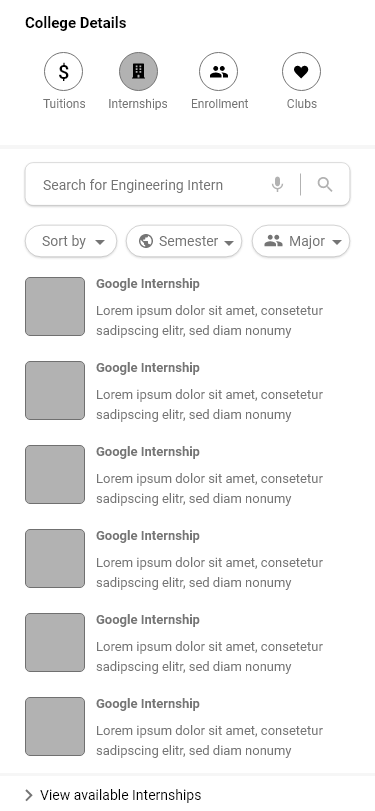
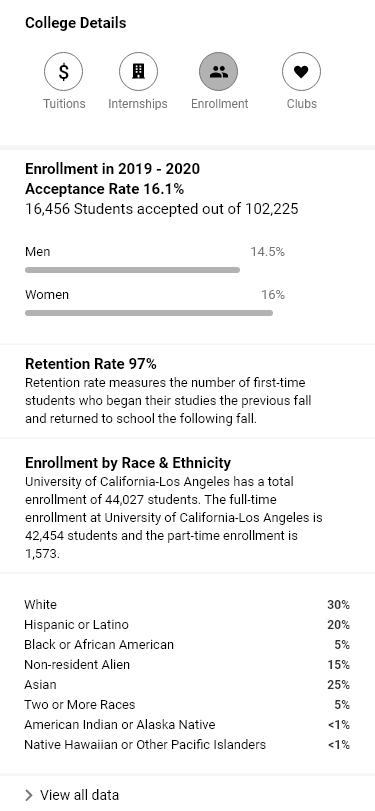
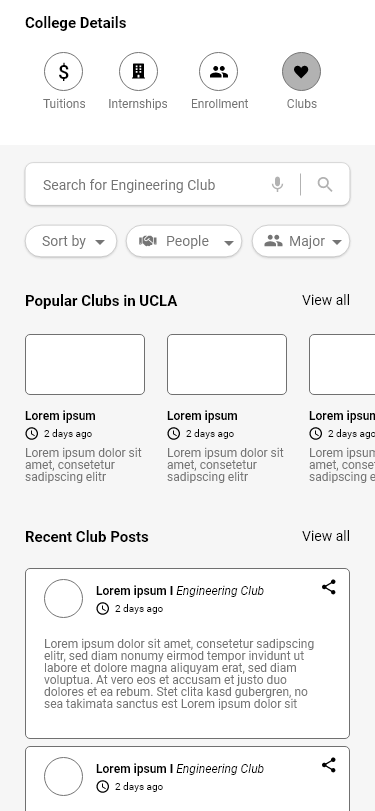
Was it the right design approach?
There are many ways designers can input a drop down menu. I have conducted 3 different designs and it seemed that combining all ( in this case ) was the correct way to portray the correct user experience. Having to put loads of information with limited space was not an easy task to do. There are always improvements to be made but as a “one man designer”, I think I did a pretty good job! 👍
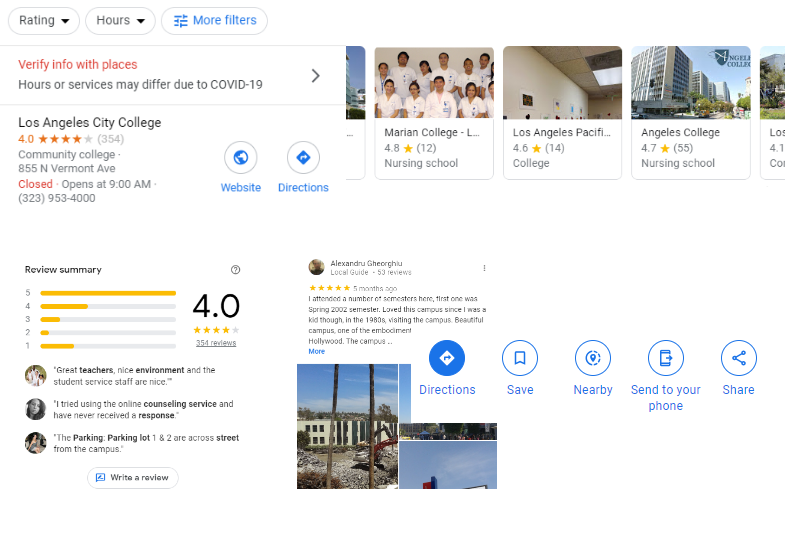
Prototype (1) to Showcase to the Users
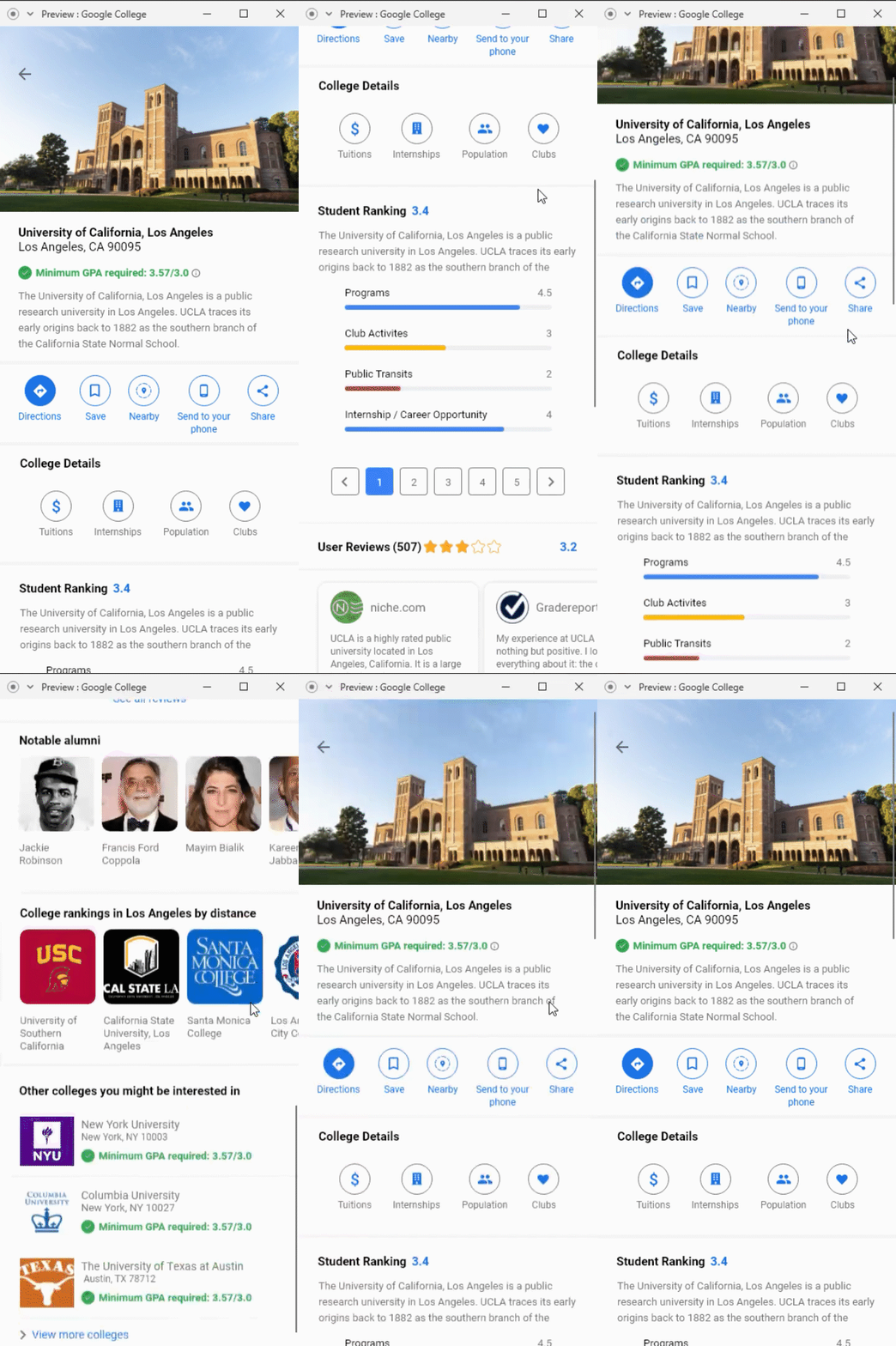
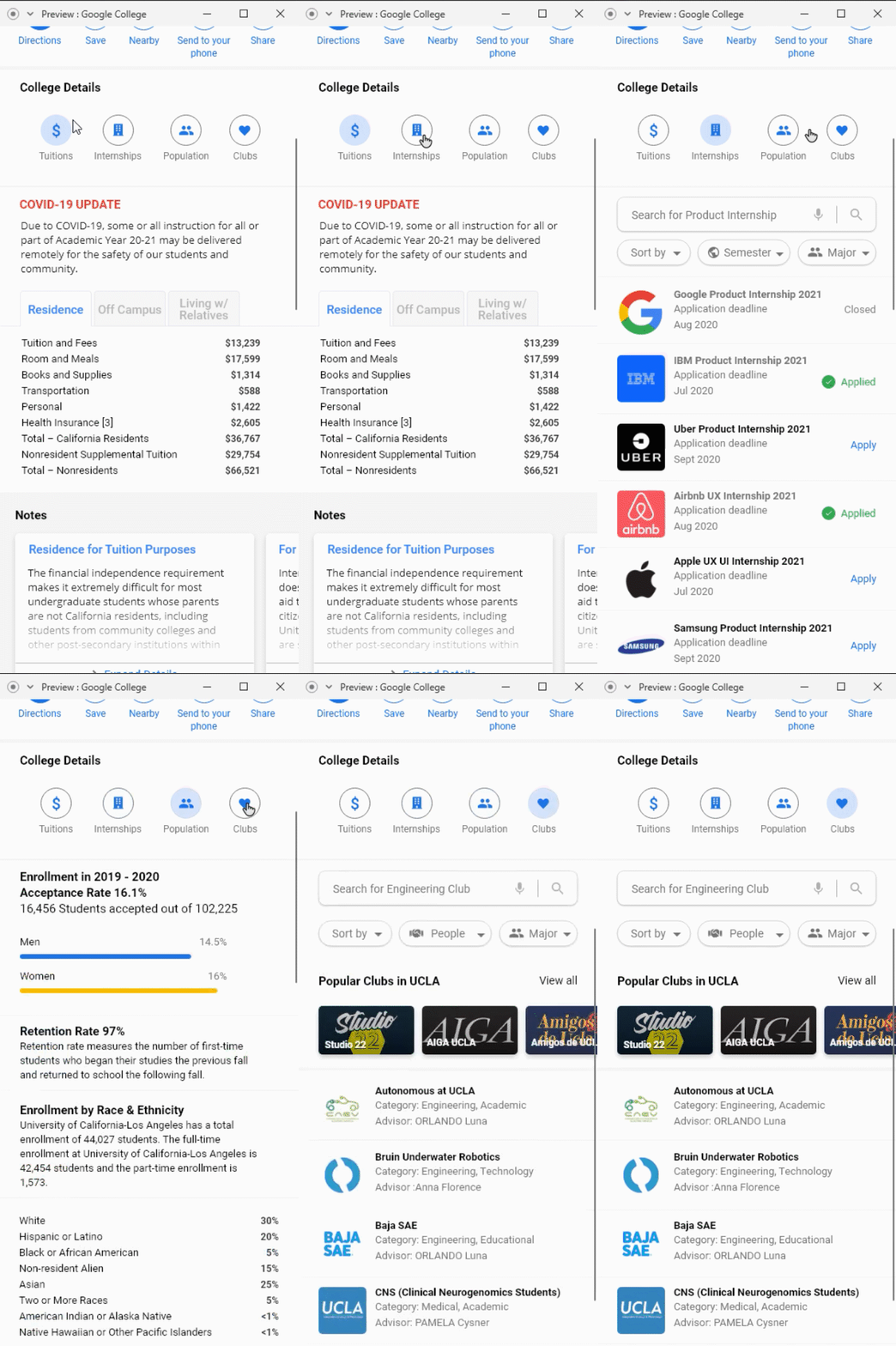
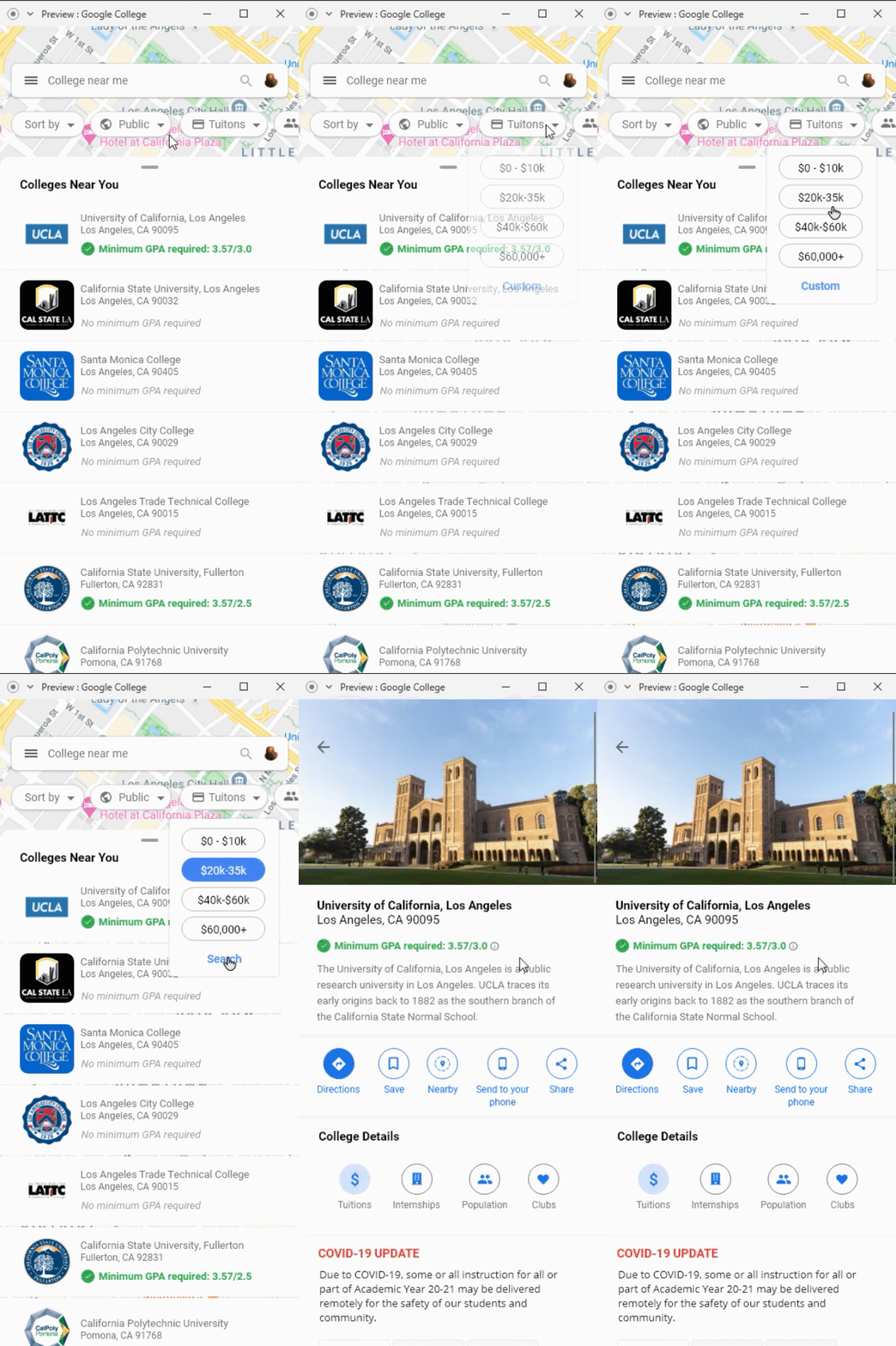
Fixes and added features
Icons were removed/fixed to a fit the appropriate features.
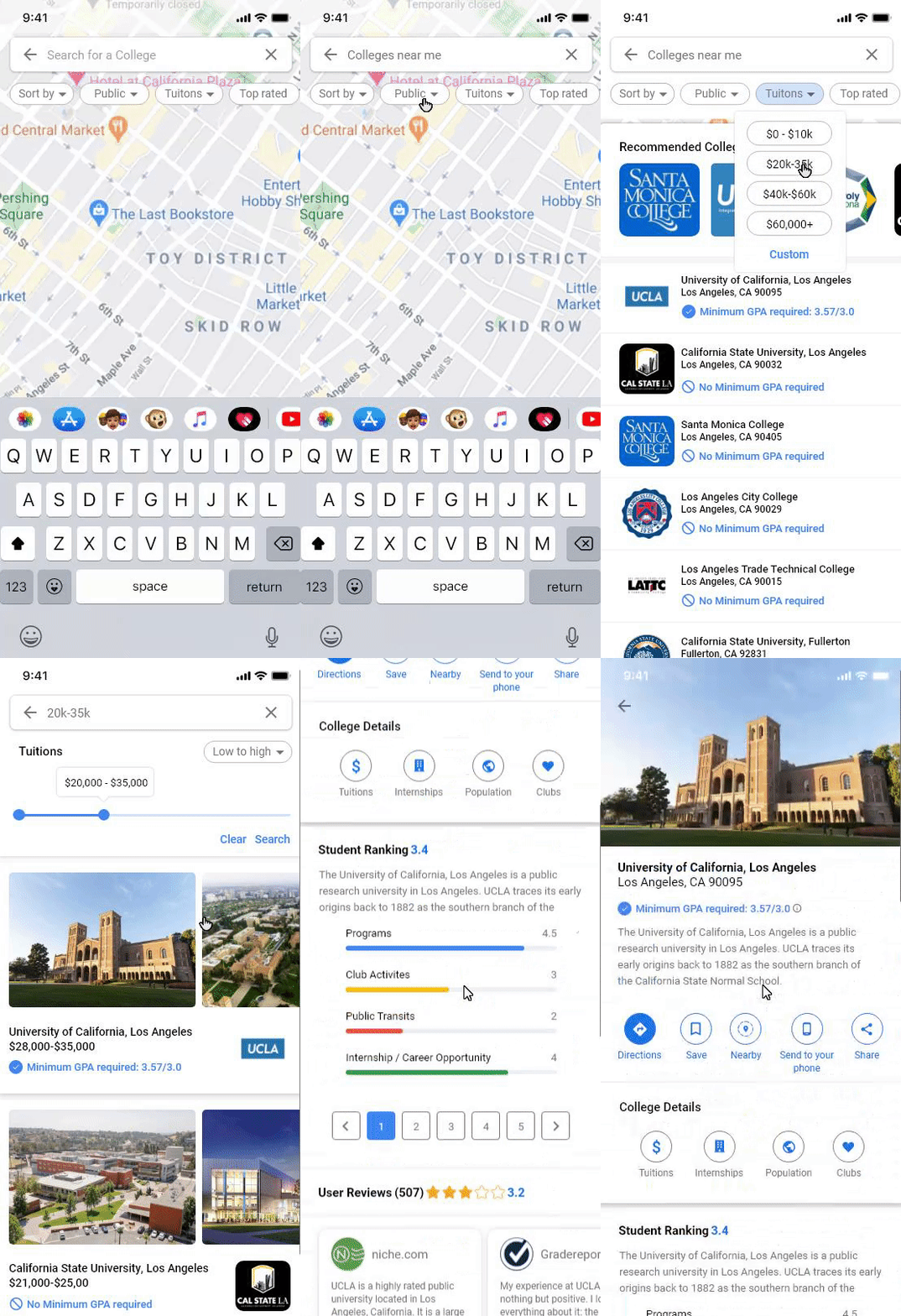
Added custom tuition slider for better user experience.
Adjusted height and weight for search bar
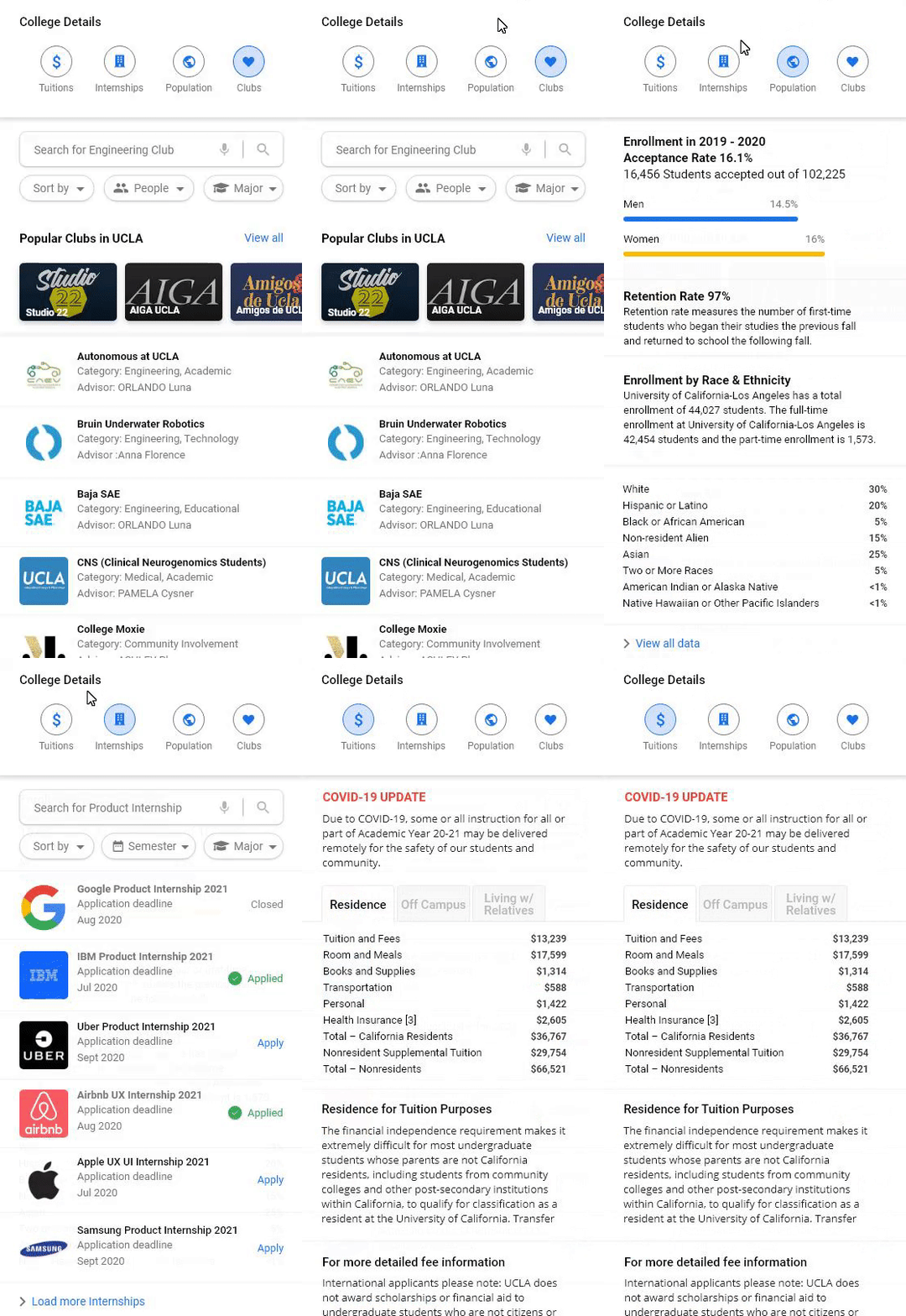
Removed card in Tuition and made it in simpler text form.
Changed Font weight to match Google Material Design.
Removed multiple Header color to make it more consistent
Enlarged “Popular Clubs” for better hierarchy
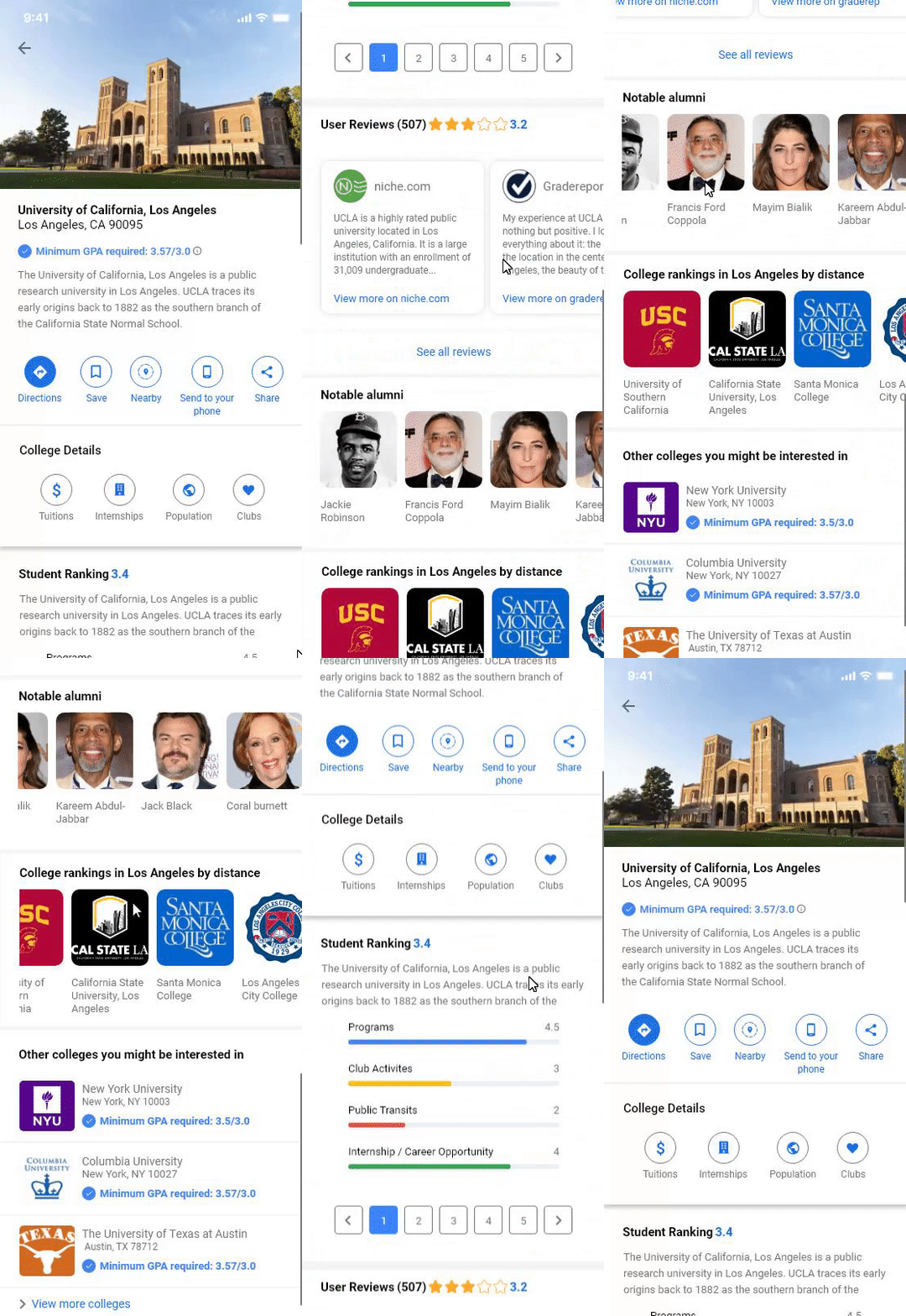
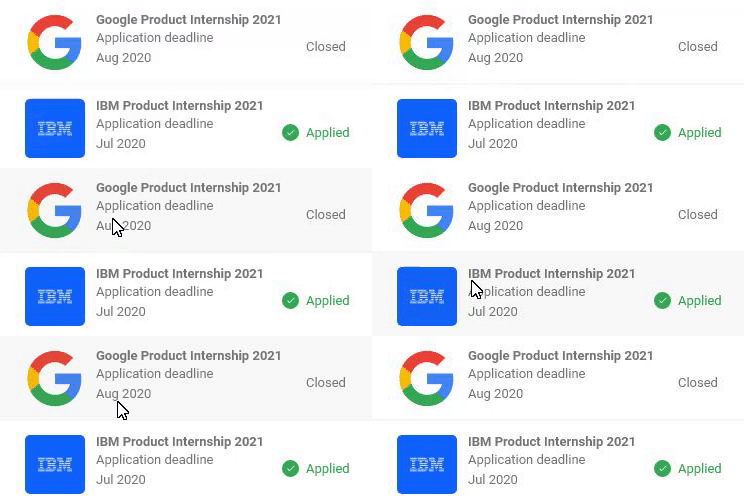
Final Prototype
Insights
For the future
Google Maps design team probably spent countless hours redesigning from scratch to make it what it is today. They did numerous research and analysis of many concepts before launching their program to front facing users. I believe that there is a limitation on my design as it might work in some cases or might not fit at all ( hence a fun little design challenge I did ). Google has its own vision and goals on what Google Maps needs to be in the future.
There was limitation on what I could have done better. By checking the Google material design system to see if it fits the entire brand identity or finding fonts and pixels, I had to make sure it matches the guides using Google’s Material Design. Overall this was a fun design challenge where I got to sit down and study areas where I was performing poorly. I learned more about user journey, information architecture and how detailed user experience is through research, feedback and user testing.
P.S
Asking for feedback doesn’t cost a dime ( or does it?) . 💰
Sources for data